
Claude hallucinated on me, just not the way you think

Running my agent-native workspace daily, I was ready to fight the so-called AI hallucination. At first, I thought when AI hallucinates it means adding fake stuff. Producing facts that do not exist. Inventing new research, telling info that wasn’t true, and generally writing something out of thin air. But what happened to me last week was so unpredictable I never considered it could happen. These are the kinds of AI agent failures you’ll see when building or running a system with AI in the loop. I run mine on Claude, but these failures aren’t Claude-specific, any AI agent can hit them.
Part 3 of a series on building an agent-native workspace. Start with Part 1: The benefit of building Claude a wiki I never saw coming.
The problem I braced for
I expected to face hallucination because I’d experienced it before, especially in the early models. There are also plenty of famous stories about it. One of the most cited examples is the fake legal case of Mata v. Avianca in 2023. Two lawyers submitted a legal brief containing six case citations generated by ChatGPT. None of it existed. The fabricated citations included fake case names and fake legal reasoning. When one attorney asked ChatGPT to confirm the citations were real, it confirmed they were and claimed they could be found on LexisNexis and Westlaw (databases lawyers use to look up real case law). The judge sanctioned both attorneys and their firm $5,000.
So when I started using Claude to build systems, run workflows, and take my notes, I expected something like that to happen. I even built guardrails and an agent evaluation system to prepare for it. In reality, my experience with Claude is straightforward. Most of the time the model does exactly what I told it, with what I gave it.
Someone told me that using an AI agent is like having a smart junior associate who follows instructions exactly. When you check their work and it’s incorrect and not what you expected, you blame the junior for “making things up” when in reality you handed them the wrong file or an unclear explanation.
But what I experienced was not because I handed Claude the wrong file or gave it unclear instructions. Something happened in one of my sessions that wasn’t hallucination in the way people usually picture it.
What happened was Claude claiming a folder does not exist. I knew Claude knew this folder existed. But somehow, according to Claude, it was never there in the first place. It made me think: technically, this is also a kind of hallucination. Hallucination is not about adding vs. subtracting. It’s about a confident claim about reality that isn’t grounded in a check.
Since this wasn’t a type of hallucination I was familiar with, it pushed me to search for why it happens and how to deal with it.
The folder that was never missing
Here’s the full story. I was in a long session with Claude. At one point I wanted it to ingest one of my notes about a project I was working on. So it ran ls ~/hq/projects/ to look at the list of my projects. Claude does this because in my capture workflow it needs to know where to route the note and whether there are other notes it can cross-link with. It was doing solid work.
The note ingested beautifully and Claude routed it to the right place. Now inside my project folder is another folder, let’s call it project x. I wanted Claude to check something in that folder, because the note I’d just ingested had something in common with its content. But then Claude said the folder does not exist.
I was confused. It said it so confidently. Remember, it had just done an ls check before, so I know Claude has that info in its memory.
When I flagged it, Claude ran another ls check, and this is what it told me, quote:
“Claude ran ls /Users/gara/hq/projects/ early in this conversation and saw [project x] in the output… When writing the closing summary, Claude failed to consult it and confabulated a ‘missing folder’ flag. This was not a ‘couldn’t see it’ failure — it was attention/memory drift on data Claude had already read”.
This is not hallucination in the typical sense. It didn’t fabricate something from outside its context. No made-up source. No fact without basis. The failure was the reverse: the folder existed, the proof was already in the context, and Claude didn’t look at it.
This made me curious, so I asked Claude why it was happening. Basically, at the moment of writing the summary, Claude deemed the ls check low-value, and it didn’t have enough weight to influence the output. The data wasn’t missing from the session. Claude wasn’t inventing from thin air. It was a failure of attention at the moment of writing, and that calls for a different kind of fix than people usually think about.
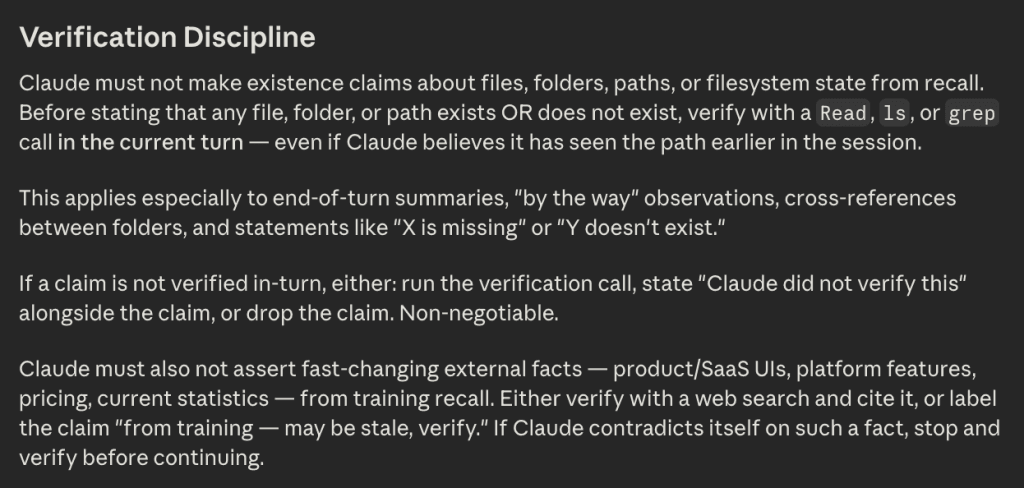
The fix wasn’t a better prompt. I didn’t reword my question or add more context. What I changed was Claude’s behavior at the system level. I added a standing rule in my global claude.md file. Claude must not make existence claims about files, folders, paths, or filesystem state from recall. Before stating that any file, folder, or path exists OR does not exist, verify with a Read, ls, or grep call in the current turn, even if Claude believes it has seen the path earlier in the session.
The “boring” failures
Here’s another story. I asked Claude for a recommendation on a publishing decision. Its first answer came fast, Claude recommended mirroring the content across platforms. Once it checked, it flipped. The real answer was the opposite, for a specific reason it hadn’t accounted for. The reason it got it wrong the first time was the same reason as before: it answered from recall instead of looking.
This story also triggered me to add another verification rule: Claude must also not assert fast-changing external facts (product/SaaS UIs, platform features, pricing, current statistics) from training recall. Either verify with a web search and cite it, or label the claim “from training, may be stale, verify.”
After that discussion, we saved the decision in my publishing-workflow note. A few days later the same question came up, and I’d forgotten what we decided. Funny enough, Claude gave me the same wrong recommendation again. I knew we’d decided against it, I forgot why, and what the alternative was. I told Claude to search our files, and the answer was right there.
What happened is Claude answered without loading my publishing-workflow file, which was a Quick Link in the project CLAUDE.md. The answer was sitting in an available file but Claude didn’t pull it into context. I’d already set up selective loading (per my previous post), but the agent still has to load the file for it to work. In this instance, Claude decided my prompt and our discussion didn’t warrant loading the publishing workflow as additional context. If anything, this is an edge-case example of how essential human-in-the-loop feedback is. The flow works most of the time and the rules are in place, but when something is off, someone has to catch this and flag the agent.
What happened is that I prepared for Claude to invent things. To make up facts, go off the rails. None of that happened. What showed up instead were quieter, “boring” failures (a folder it forgot to recheck, a recommendation it repeated without looking). Easier to fix once you know what to look for.
Better design, not a better model
When I think about how to overcome AI hallucination, the advice I usually see is to deal with it on the model side. The obvious workaround is to try a different, preferably better model. Next is to tweak my prompt and try to instruct Claude into better output.
“Be more accurate.”
“Don’t make things up.”
“Double-check yourself.”
“Git gud.”
It’s kind of funny if you think about it. It’s like I’m mad at Claude for slacking off, and I’m asking it to try harder next time. But the issue wasn’t a lack of effort on Claude’s part. It was a more boring failure: stale info, missing context, or a skipped check. And that’s better in a way, because I can fix it myself instead of waiting on a newer, shinier model.
I’m not saying the invented-from-nothing kind of failure won’t happen now or later. But after running AI systems daily for months, the issues I hit are far more manageable, and they live upstream in the system design rather than in the model itself.
This is part of a series on how I build my agent-native workspace.